何处购买
需要建议吗?我们训练有素的经销商很乐意解答您无论大小的各种问题。
查找附近的经销商
VictronConnect App v6.30
Making system monitoring simpler
VictronConnect app v6.30 brings a range of new features designed to make system monitoring and management easier for both professionals and end-users. These include VRM integration, new tools for system monitoring, more insight during firmware updates, and a Batch Programming feature aimed at simplifying work for professionals.
In the next sections, we take a closer look at what’s new in VictronConnect v6.30.
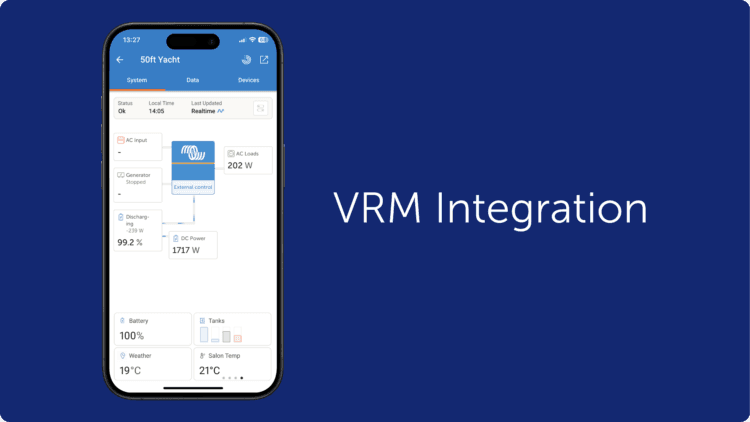
VRM dashboard access is now built directly into the VictronConnect app. Previously, when accessing a system remotely via the VRM tab, the app redirected you to the VRM Portal for full system information. You can now see the system dashboard directly in VictronConnect, including control switching, overview data, and Dynamic ESS information such as costings and schedules, making it easier to understand what is happening across your system from one place.
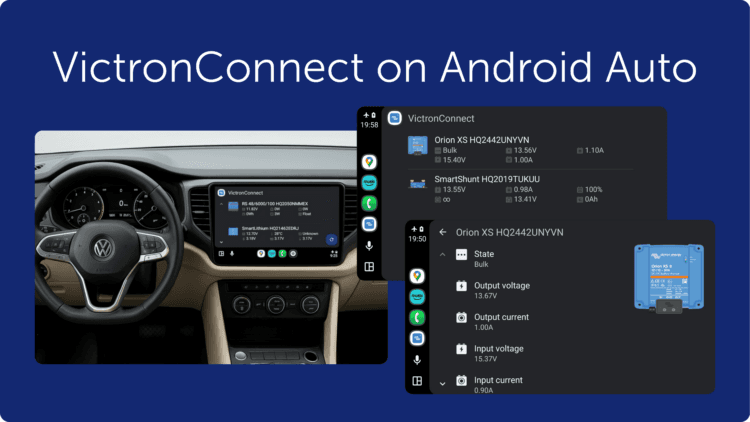
If your vehicle supports Android Auto, you can now view key system information directly on your car’s display while driving through the VictronConnect app on your phone.
After updating to VictronConnect v6.30, a VictronConnect icon will automatically appear in Android Auto once a phone is connected. The feature uses Bluetooth Instant Readout and requires no additional configuration or GX device. If Instant Readout data is available for a product in the VictronConnect app (for example, the Smart range), it will also be shown in Android Auto, creating a simple plug-and-play experience. This makes it easy to monitor system status safely while driving, especially in campervans, motorhomes, and professional vehicles.
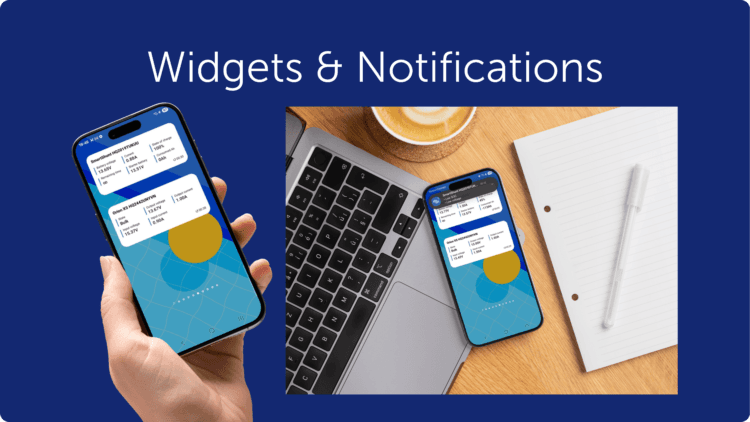
Android users can place widgets on their phone home screen to quickly see important system information without opening the app. It is also now possible to enable notifications so your phone alerts you if something needs attention, giving you peace of mind that your system is running as expected without needing to constantly check it. Notifications and Widgets use Bluetooth Instant Readout and work when your phone is within range of supported products.
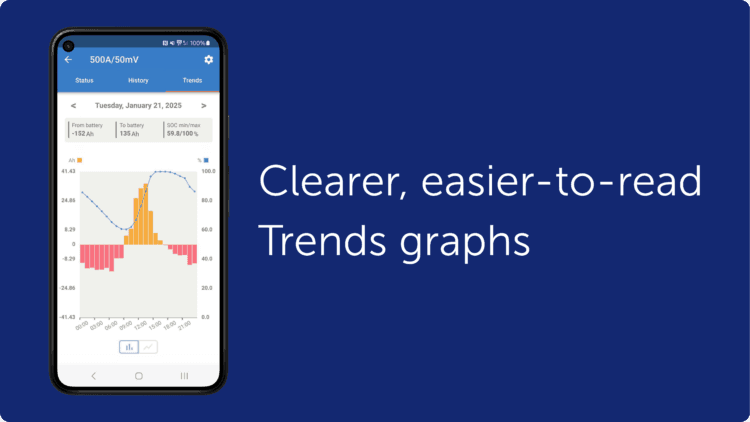
Trends data is now clearer and more detailed, making it easier to see how your system has been performing over time. Updated graphs are easier to read and interpret, while also giving access to deeper system information, helping build a clearer picture of energy production, consumption, and battery behaviour. Trends data is now also included when exporting product settings, making it easier to keep records or share data for support or analysis. This feature is available for all products that support stored Trends.
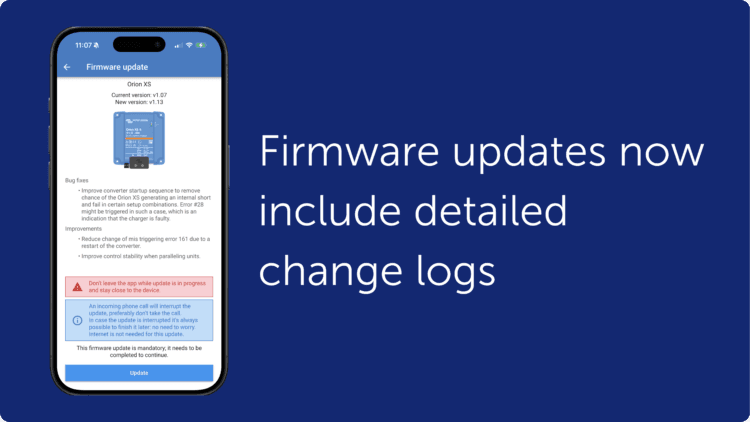
With VictronConnect v6.30, firmware updates now show release notes directly in the update screen, making it easier to see what has changed before updating. The release notes remain visible during the update process, giving clearer insight into each firmware version.
The built-in firmware library can now also update itself automatically when an internet connection is available, keeping the latest firmware versions ready even between app updates. Firmware updates can still be carried out without an internet connection, just like before.
And finally, a feature many installers will appreciate: Batch Programming. You can now apply setting files and firmware updates across multiple devices at the same time. The feature supports both VE.Direct (wired) and Smart (Bluetooth) products, making it easier to manage mixed systems. The short video below gives a quick overview of how it works.
VictronConnect v6.30 makes it easier to stay connected to your system, whether you are standing next to it, travelling, or checking it remotely. By bringing VictronConnect and VRM closer together, and adding practical tools for daily use, this update helps make system monitoring, control, and maintenance simpler for everyone using Victron systems.
We hope you enjoy using these new features. Your feedback helps shape future updates, so feel free to share your experience or suggestions in the Victron Community.